Introduction
Websites are accessed through different browsers and devices, and the browsing experience can vary depending on the software being used. Sometimes, a website may load correctly on one browser but display differently on another.
Understanding browser compatibility can help users identify basic access problems and improve their general browsing experience.
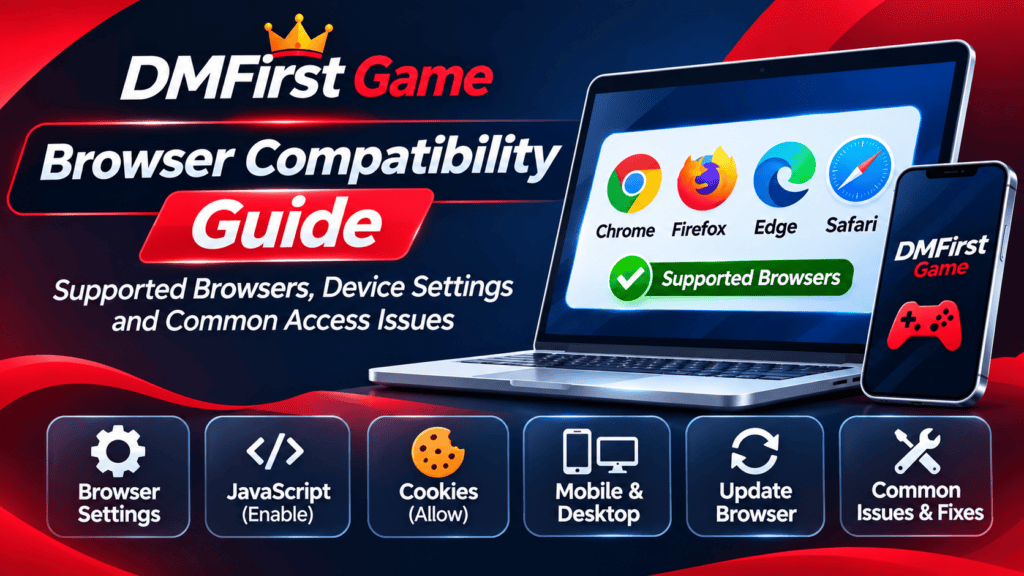
This DMFirst Game Browser Compatibility Guide explains how browsers work, which settings can affect website access and what users should check when a page does not display as expected.
1. What Is Browser Compatibility?
Browser compatibility refers to how well a website works across different web browsers and devices.
Web developers use different technologies to build websites, including HTML, CSS and JavaScript. Browsers interpret these technologies to display website content.
However, browsers may handle certain features differently. This can sometimes result in layout differences, missing elements or loading problems.
Common browsers include:
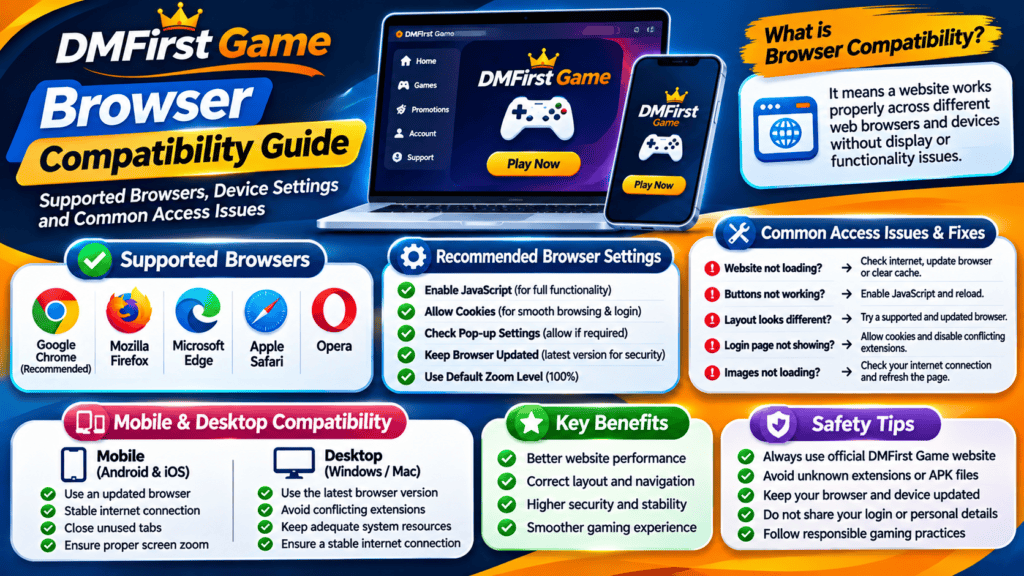
- Google Chrome
- Mozilla Firefox
- Microsoft Edge
- Apple Safari
- Opera
The latest versions of these browsers generally provide better support for modern web technologies.
2. Why Does Browser Compatibility Matter?
A website should ideally provide a consistent browsing experience across commonly used browsers.
Browser compatibility matters for several reasons.
Website Layout: Different browsers may display fonts, images, menus and page elements differently.
Navigation: Buttons, menus and links should work correctly across supported browsers.
Mobile Experience: Websites should adjust their layouts to different screen sizes.
Security: Updated browsers receive security improvements and support modern web standards.
Performance: Browser updates may include improvements that help websites load and operate more efficiently.
3. Recommended Browser Settings
Certain browser settings can affect how websites display and function.
Users can review these settings when experiencing access or display issues.
Enable JavaScript
JavaScript is used by many websites to support interactive elements, menus and dynamic content.
If JavaScript is disabled, some website features may not work as expected.
Check your browser settings to confirm that JavaScript is enabled where required.
Review Cookie Settings
Cookies are small data files that websites may use to remember preferences or maintain sessions.
If cookies are blocked, certain website functions may behave differently.
Review your browser’s privacy settings and understand how cookies are handled before changing them.
Check Pop-up Settings
Some websites use pop-up windows for specific functions. Strict pop-up blocking can prevent these windows from opening.
Only allow pop-ups when you trust the website and understand why they are needed.
Keep Browser Zoom at a Suitable Level
Very high or low zoom settings may affect how website elements appear.
Resetting the browser zoom to its default level can help when text, buttons or menus look incorrectly positioned.
4. Mobile and Desktop Browser Compatibility
Websites can look different depending on the device used to access them.
Mobile Browsers
Mobile browsers are designed for smaller screens and touch-based navigation. A responsive website should adjust its content to fit different screen sizes.
Users can improve their mobile browsing experience by:
- Keeping their browser updated.
- Using a stable internet connection.
- Closing unnecessary browser tabs.
- Checking display and zoom settings.
- Avoiding outdated browser versions.
Desktop Browsers
Desktop browsers provide more screen space and support keyboard and mouse navigation.
Users should check that their browser is updated and that unnecessary extensions are not interfering with website functionality.
5. Common Browser Compatibility Issues and Solutions
Website Looks Different Between Browsers
Different browsers may interpret certain design elements differently.
Try updating your browser and reopening the website.
Buttons or Menus Are Not Working
Some interactive features may depend on JavaScript or browser permissions.
Check the relevant settings and reload the page.
Website Is Not Loading Properly
A weak connection, outdated browser or temporary cache issue may affect page loading.
Check your internet connection and try clearing cached files if necessary.
Login Page Is Not Displaying Correctly
Cookies, browser extensions or privacy settings may sometimes affect website sessions.
Review the browser settings and make sure you are accessing the correct website address.
Images or Fonts Are Missing
Temporary network problems or blocked website resources may prevent certain elements from loading.
Refresh the page after checking your connection.
6. How to Keep Your Browser Updated
Using an updated browser is an important part of maintaining a secure and stable browsing environment.
Follow these general steps:
- Open your browser.
- Go to its settings menu.
- Find the About or Browser Information section.
- Check whether an update is available.
- Install the update using the browser’s official update process.
- Restart the browser if required.
Avoid downloading browser updates from unknown websites or third-party advertisements.
7. Browser Extensions and Website Functionality
Browser extensions can add useful features, such as password management, translation and content filtering.
However, some extensions may interfere with website scripts, cookies or page elements.
If a website behaves unexpectedly, consider checking whether an extension is responsible.
Only install extensions from trusted sources, and review the permissions they request.
8. Online Safety While Browsing DMFirst Game
Browser compatibility and online safety are both important when accessing websites.
Keep these basic precautions in mind:
- Check the website address before entering information.
- Avoid sharing passwords or sensitive personal details.
- Do not download unknown browser extensions or APK files.
- Keep your browser and operating system updated.
- Review website privacy policies and terms.
- Avoid accessing suspicious links shared through unknown sources.
If a website involves real-money gaming, understand the financial risks and check applicable local laws and age restrictions before participating.
Frequently Asked Questions (FAQs)
1. What does browser compatibility mean?
Browser compatibility means a website can display and function correctly across different web browsers and devices.
2. Which browser should I use to access DMFirst Game?
For DMfirst game Use a current version of a reputable browser, such as Chrome, Firefox, Edge or Safari. Actual website compatibility depends on the website’s implementation.
3. Why does a website work in one browser but not another?
Different browsers may handle website technologies, cookies and scripts differently. Outdated software or browser extensions may also contribute to the problem.
4. Does JavaScript affect website functionality?
Yes. Many websites use JavaScript for interactive menus, buttons and dynamic content. Disabling it may affect some features.
5. Can browser extensions cause website problems?
Yes. Certain extensions can block scripts, cookies or other website resources. Reviewing installed extensions may help identify the cause.
6. Should I clear my browser cache regularly?
It is not necessary to clear your cache constantly. However, clearing temporary cached files may help when a website displays outdated or incorrect content.
Final Thoughts
Browser compatibility plays an important role in the way websites appear and function across mobile phones, tablets and desktop computers.
Understanding browser settings, cookies, JavaScript and software updates can help users identify common browsing issues and maintain a smoother experience.
This DMFirst Game Browser Compatibility Guide provides general information to help readers understand browser behaviour and basic website access requirements. Always use updated software, verify website addresses and follow safe browsing practices.